
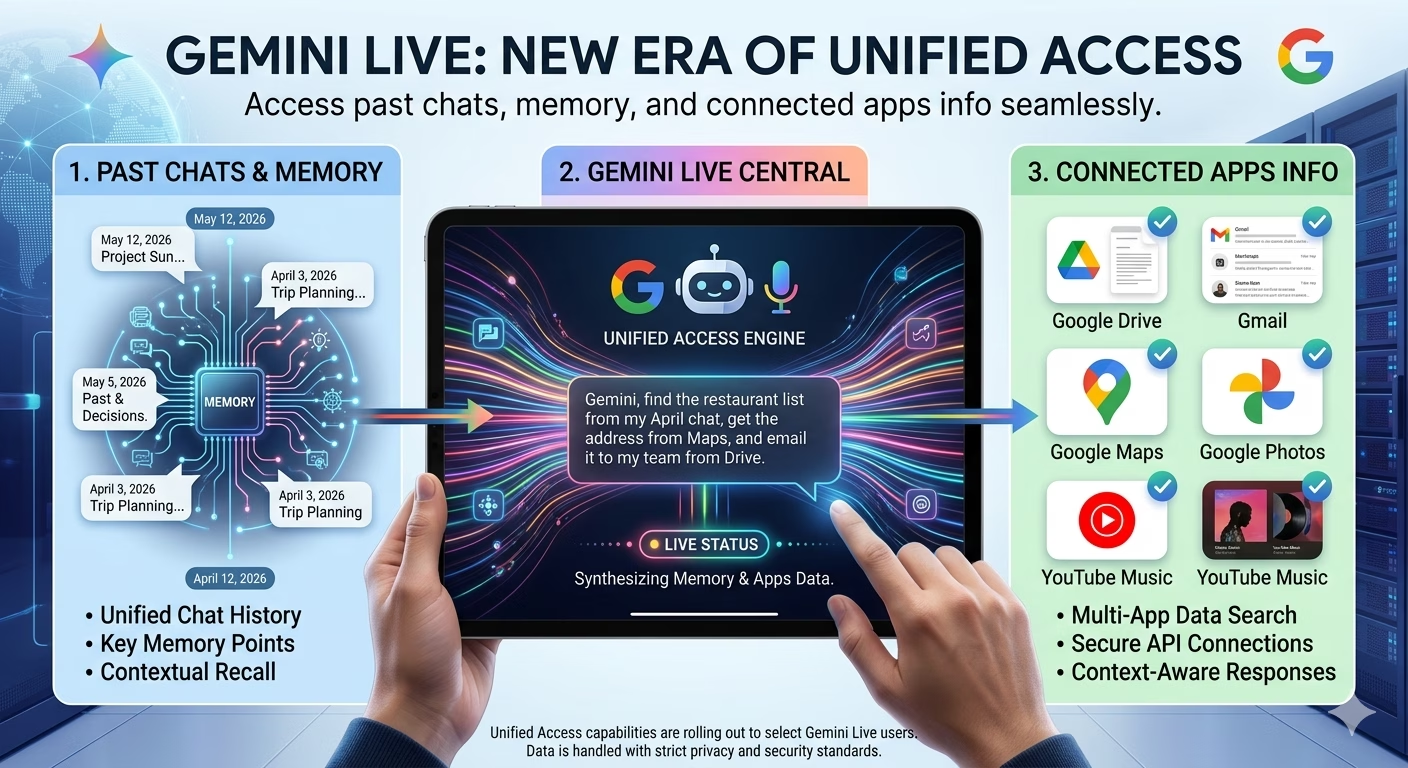
Gemini Live Can Now Access Your Past Chats, Memory, and Connected Apps Information
Google is expanding the capabilities of Gemini Live by allowing the AI assistant to access a user’s past conversations, saved memory, and information from connected Google apps. The update is designed to make interactions more personalized, context-aware, and efficient by enabling Gemini Live to remember important details and use information across multiple services.
The new feature represents another step toward creating AI assistants that can provide more natural and continuous conversations without requiring users to repeat information every time they start a new chat.
What Is Changing in Gemini Live?
With the latest update, Gemini Live can now access:
- Past chat history
- Saved memory information
- Data from connected Google apps
- User preferences and context
- Previous conversation details
This means Gemini can provide responses that better reflect a user’s ongoing needs and previous interactions.
Instead of treating every conversation as completely new, the assistant can reference relevant information from earlier chats when appropriate.
How Gemini Memory Works
Gemini Memory is a feature that allows the AI to remember specific information that users choose to save.
Examples may include:
- Personal preferences
- Frequently used tasks
- Writing styles
- Work-related information
- Recurring interests
When memory is enabled, Gemini can use these details to personalize future responses and reduce repetitive setup in conversations.
Access to Past Conversations
One of the biggest additions is Gemini Live’s ability to reference previous chats.
Benefits include:
- More natural conversations
- Better continuity across sessions
- Less repetition from users
- Faster task completion
- Improved personalization
For example, if a user previously discussed a project or preference, Gemini may use that information to provide more relevant answers later.
Connected Apps Integration
Gemini Live can also use information from connected Google services.
Depending on permissions and settings, this may include data from:
- Google Workspace apps
- Productivity tools
- Notes and documents
- Calendar information
- Other supported Google services
The goal is to create a unified AI experience that understands context across multiple applications.
Why Google Is Expanding Gemini’s Memory
AI assistants are becoming increasingly focused on long-term usefulness rather than one-time interactions.
Google aims to make Gemini:
- More personalized
- More efficient
- Better at handling ongoing tasks
- More capable of understanding context
- Less dependent on repeated instructions
By remembering information and accessing connected apps, Gemini can act more like a digital assistant than a simple chatbot.
Privacy and User Control
Google emphasizes that users maintain control over memory features.
Users can typically:
- View saved memories
- Delete stored information
- Disable memory settings
- Manage connected app permissions
- Remove chat history
These controls allow users to decide how much information Gemini can access and retain.
How to Enable Gemini Memory
Users who want personalized experiences can enable memory through Gemini settings.
General steps include:
- Open Gemini settings
- Navigate to Memory options
- Turn Memory on
- Review saved information
- Customize permissions
Availability may vary depending on region, account type, and device.

How to Delete Gemini Chat History
Users who prefer greater privacy can remove stored conversations.
Typical steps include:
- Open Gemini account settings
- Access Activity or History section
- Select conversations to remove
- Delete individual chats or all history
- Confirm deletion
Users can also manage activity retention settings through their Google account.
Does Gemini Remember Across Chats?
With memory enabled, Gemini can remember selected information across conversations.
However:
- Not every message is automatically stored
- Users control memory settings
- Saved memories can be edited or deleted
- Memory features may vary by account and region
This balance is intended to provide personalization while maintaining user control.
Benefits of the New Gemini Live Update
The latest upgrade offers several advantages:
- Personalized responses
- Improved productivity
- Better continuity between sessions
- Reduced repetition
- Smarter recommendations
- Enhanced app integration
For frequent Gemini users, these improvements could significantly streamline everyday tasks.
Conclusion
The new Gemini Live update marks a major step toward more intelligent and personalized AI experiences. By accessing past chats, memory settings, and connected app information, Gemini can provide more relevant and context-aware responses while helping users complete tasks more efficiently.
At the same time, Google continues to provide controls that allow users to manage privacy, memory, and app permissions. As AI assistants evolve, features like long-term memory and app integration are becoming increasingly important in creating truly useful digital companions.
FAQs
What is Gemini Live?
Gemini Live is Google’s conversational AI assistant designed for real-time interactions and assistance.
Can Gemini Live access past chats?
Yes, the new update allows Gemini Live to reference previous conversations for better context.
Does Gemini remember across chats?
Yes, when memory features are enabled, Gemini can remember selected information across conversations.
How do I enable Gemini Memory?
You can enable it through Gemini settings and memory management options.
Can I delete Gemini chat history?
Yes, users can remove individual conversations or clear their history through account settings.
Does Gemini automatically save everything?
No, users have controls over what information is stored and how memory features operate.
What are connected apps in Gemini?
Connected apps are supported Google services that can share relevant information with Gemini when permission is granted.
Can I disable Gemini Memory?
Yes, memory settings can be turned off at any time.
Why is Google adding memory features?
To make Gemini more personalized, context-aware, and useful across multiple conversations.
Is user privacy protected?
Google provides settings that allow users to manage memory, permissions, and stored information according to their preferences.
🚀 Build a Powerful Online Presence with RojrzTech
Quiet updates often carry the loudest consequencesIn an ever-evolving digital landscape, brands grow by adapting fast and executing smart. RojrzTech offers customized solutions in web development, UI/UX design, SEO, branding, and social media—helping businesses improve visibility, engagement, and overall digital performance.
📩 Start Growing Your Digital Presence Today
Partner with RojrzTech to craft digital experiences designed for long-term success and real audience connection. Let’s build an online presence that works harder for your business