
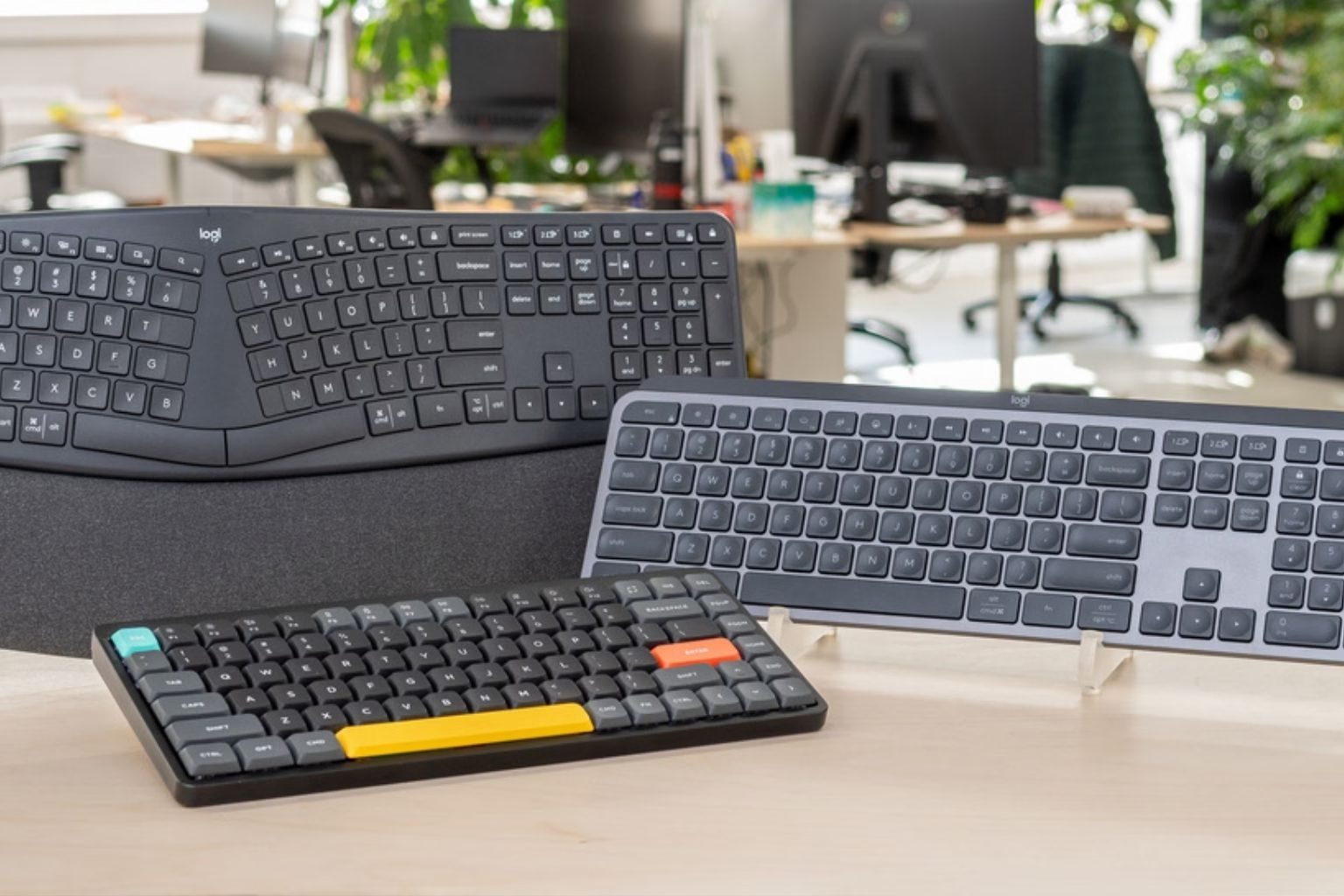
Baby’s Got Clack: HP Pushes PC-in-a-Keyboard for Businesses With Hot Desks
HP has unveiled an innovative PC-in-a-keyboard device aimed specifically at modern workplaces, especially a keyboard for businesses with hot desks and shared workspaces. Dubbed as a move toward redefining desktop computing, this all-in-one keyboard PC blends compactness with business-oriented features that may appeal to offices rethinking hardware demands in flexible work environments.
This new product signals a shift in how businesses approach employee computing: instead of traditional desktops or bulky all-in-ones, employees can now dock into a sleek keyboard that is itself a fully-functional computer. For IT managers and workers alike, this raises practical questions about performance, convenience, and whether such devices can replace a standard setup for daily work.
What Is a PC-in-a-Keyboard?
A PC-in-a-keyboard refers to a complete computer system built into the keyboard housing. The keyboard contains all essential computing hardware — processor, memory, storage, graphics, and connectivity — and simply needs a monitor, power supply, and peripherals to operate. HP’s version integrates these components behind a familiar soft-touch keyboard layout along with USB-C charging and peripherals support.
The concept isn’t entirely new, but HP’s execution aims to refine it toward mainstream business adoption. While long-time enthusiasts may recall niche keyboard PCs, this product is pitched squarely at professional workflows.
Why Businesses With Hot Desks Care
In companies with shared seating and flexible workspaces, traditional desktops create logistical challenges: users swap seats, devices stay fixed, and each user’s environment needs individual login and personalization. A keyboard for businesses with hot desks means that employees can bring a single device — or simply swap keyboards — and boot their environment on any monitor and docking station. It vastly simplifies shared computing.
IT administrators currently spend significant time configuring and securing standard desktops. This new form factor promises:
- Faster turn-around between users at shared desks
- Reduced clutter and easier cable management
- Simplified deployment and maintenance
- Uniform hardware footprint across offices
These benefits appeal directly to organizations adopting flexible seating policies, hybrid models, and activity-based working styles.
How the Keyboard Performs in Office Tasks
Performance is a key question for any non-traditional device. Early field tests suggest the HP keyboard PC handles standard business workloads — email, documents, spreadsheets, video conferencing, web research — with aplomb. Complex tasks like data analytics and creative editing require heavier configurations, but for most office work it performs well.
Users accustomed to a good typing experience will likely appreciate the soft touch keyboard for PC integrated with this product. Comfortable key travel and quiet actuation make extended typing sessions less fatiguing — a welcome feature given that many office professionals spend hours typing every day.
Market Context: Keyboard Reviews and Reddit Opinion
Before buying any keyboard for office work, professionals often consult community feedback and product reviews. Terms like “keyboard for office work Reddit” and “Reddit good keyboard for office work” appear frequently in online discussions where users compare typing feel, build quality, and ergonomic comfort. While traditional keyboards such as mechanical and scissor-switch types dominate these conversations, HP’s integrated device leans toward convenience rather than pure typing sport.
In these community threads, the Logitech MX Mechanical for office often comes up as a reference point for a quality wireless keyboard with satisfying key feel and robust build. Though HP’s keyboard PC doesn’t aim to outgun premium peripherals, it competes indirectly by integrating computing hardware into a comfortable keyboard package — a different category altogether.
Similarly, queries like “Reddit best wireless keyboard for work” show that professionals value reliability, low latency, and tactile feedback. HP’s solution integrates the keyboard directly with the PC, eliminating the wireless question altogether for many users.
Keyboard Manufacturers Evolving With Work Trends
Keyboard manufacturers have long segmented products for gaming, office, industrial, and creative professionals. What HP is attempting here is broader integration of a computing platform with the traditional input device. While legacy manufacturers continue making dedicated keyboards, HP’s unified approach reduces the total footprint of equipment at a workstation.
This is particularly relevant as hybrid and remote work styles reduce the emphasis on individual desks and increase the value of mobility and adaptability. IT managers are no longer simply selecting keyboards — they’re choosing whole productivity ecosystems.
Ergonomics and Comfort in Daily Use
One concern with any integrated device is comfort. Traditional ergonomics suggests that typing postures and hand positioning are critical for long-term wellbeing. HP’s keyboard delivers a soft touch and key action that resonates with office users who value a balance of responsiveness and quiet actuation.
Compared with many entry-level office keyboards, this product feels more premium. Users transitioning from dedicated mechanical keyboards may notice differences, but for most professional typing tasks, it delivers a satisfactory experience.
The built-in keyboard eliminates the need for separate components, reducing desk clutter and helping employees maintain focus without battling cables and dongles.
Security and IT Integration
Business deployments care most about security and manageability. HP’s keyboard PC supports enterprise-grade security protocols, device management tools, and BIOS protections. IT administrators appreciate the ability to monitor hardware health, deploy updates remotely, and secure each unit as part of a managed fleet.
For enterprise environments, these features ensure that even a non-traditional form factor can be integrated into existing security policies. With hot desk usage, this is especially crucial — each time a device switches users, authentication and access must be portable and secure.
Potential Downsides and Criticisms
No product is perfect, and industry watchers have pointed out some concerns:
- Performance Limits: While fine for office tasks, heavier workloads may expose the limits of the compact hardware.
- Upgrade Constraints: Unlike desktops with modular parts, the keyboard PC has limited internal upgrade paths.
- Screen Dependency: The device still needs an external display, which some see as a drawback compared with laptops.
Some professionals also note that full-size dedicated keyboards with advanced ergonomic design may still outperform integrated solutions for heavy typists.
Who Will Benefit Most?
This keyboard PC is likely ideal for:
- Hot desk workforces in flexible office environments
- Co-working spaces where shared monitors and seating change frequently
- Consultants and remote workers who value compact setups
- IT teams seeking centralized inventory management
In contrast, users with heavy creative workloads or gaming needs may remain loyal to traditional desktops or laptops.
Future Outlook for Keyboard-Computer Hybrids
HP’s launch could spur other manufacturers to explore similar products. As hybrid work solidifies and organizations seek cost-effective, adaptable hardware, the idea of a PC-in-a-keyboard may expand beyond corporate hot desks to education, healthcare, and shared public workstations.
Manufacturers known for dedicated devices may eventually build accessory ecosystems around this concept, including docking stations, portable monitors, and ergonomic stands.
Frequently Asked Questions (FAQ)
Q: What is a PC-in-a-keyboard?
It’s a fully functional personal computer built into a keyboard housing, designed to connect to external displays and peripherals while minimizing space.
Q: Is the keyboard suitable for long typing sessions?
Yes. The integrated keyboard offers a comfortable soft touch and key travel suitable for office work, similar to other quality keyboards used in professional settings.
Q: Can it replace a traditional desktop?
For most office tasks like email, spreadsheets, presentations, and browsing, yes. For high-performance workloads, traditional desktops may still be preferred.
🚀Build a Stronger Digital Footprint with RojrzTech
In a constantly changing digital environment, brands succeed by staying flexible and focused. RojrzTech delivers tailored solutions across web development, UI/UX, SEO, branding, and social media to help businesses strengthen visibility and performance online.
📩 Start Your Digital Growth Journey
Connect with RojrzTech to create digital experiences that support long-term growth and meaningful engagement. Let’s shape a smarter, more impactful online presence